Can I assign proctors to my exams?
Yes. Under Access on the exam, add a colleague and choose Proctor the exam. The proctor can monitor the exam but not change the assignment itself.
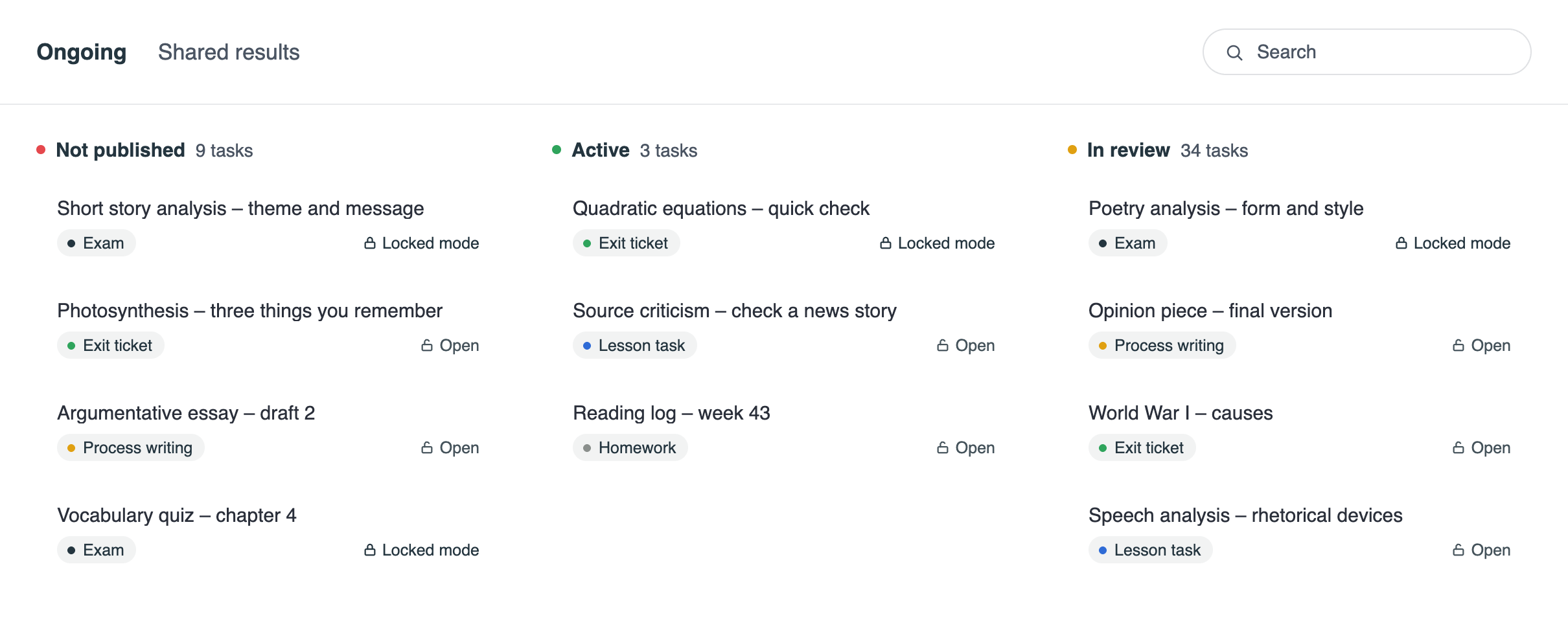
Exams, open assignments, process writing, exit tickets and lesson tasks, all in one place. Gradr is a tool for the whole assignment, not just a locked writing space.
Students write in Gradr, the teacher gives feedback in the same platform, and everything is still there for the next lesson.

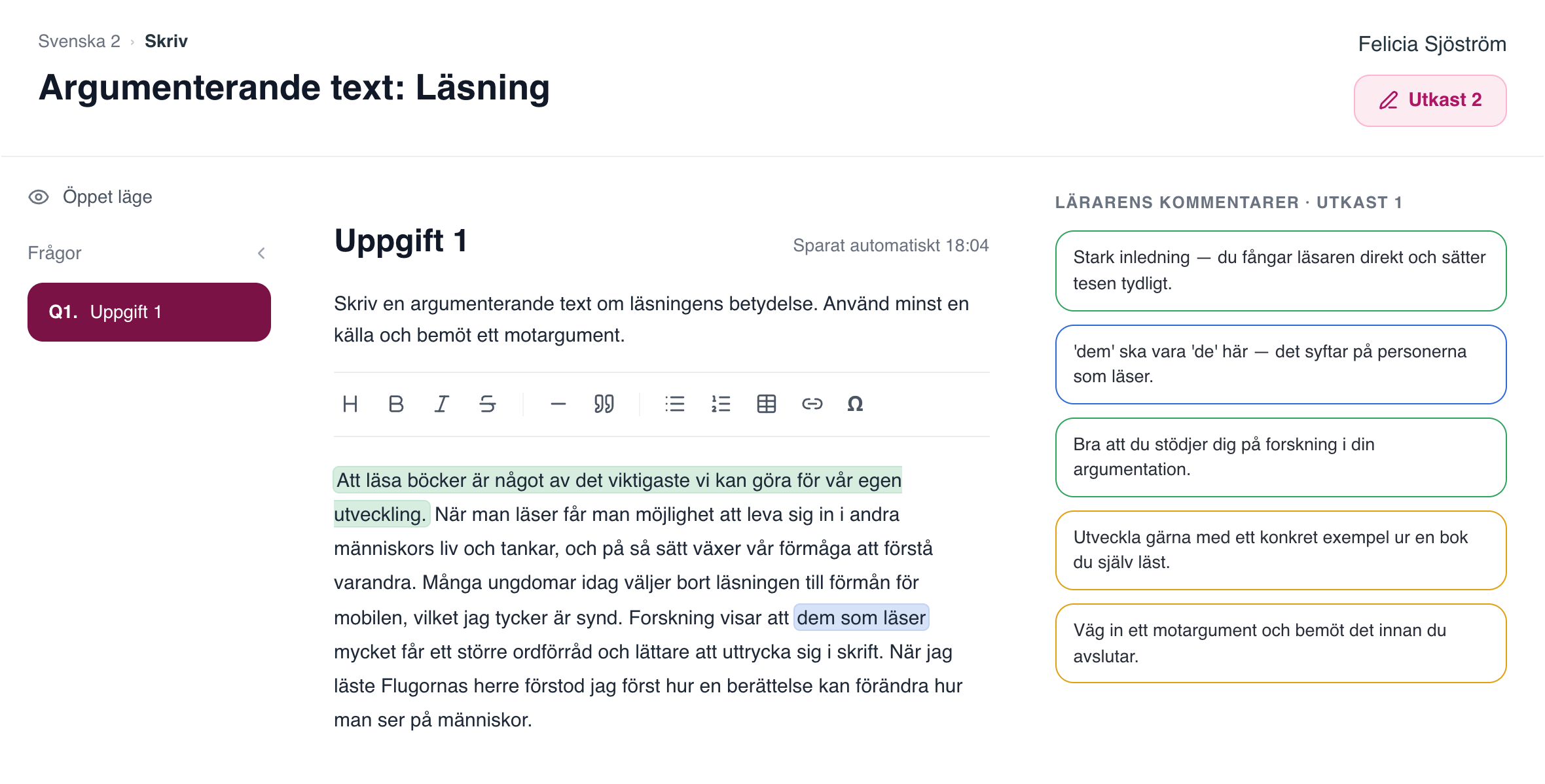
The student keeps writing with the teacher's comments beside the text. The feedback is still there at the next lesson, the text develops over several drafts, and the whole process is saved in Gradr.


Long writing assignments in open mode, with all of the class's assignments in one place. The teacher gives feedback in the same platform the students write in.

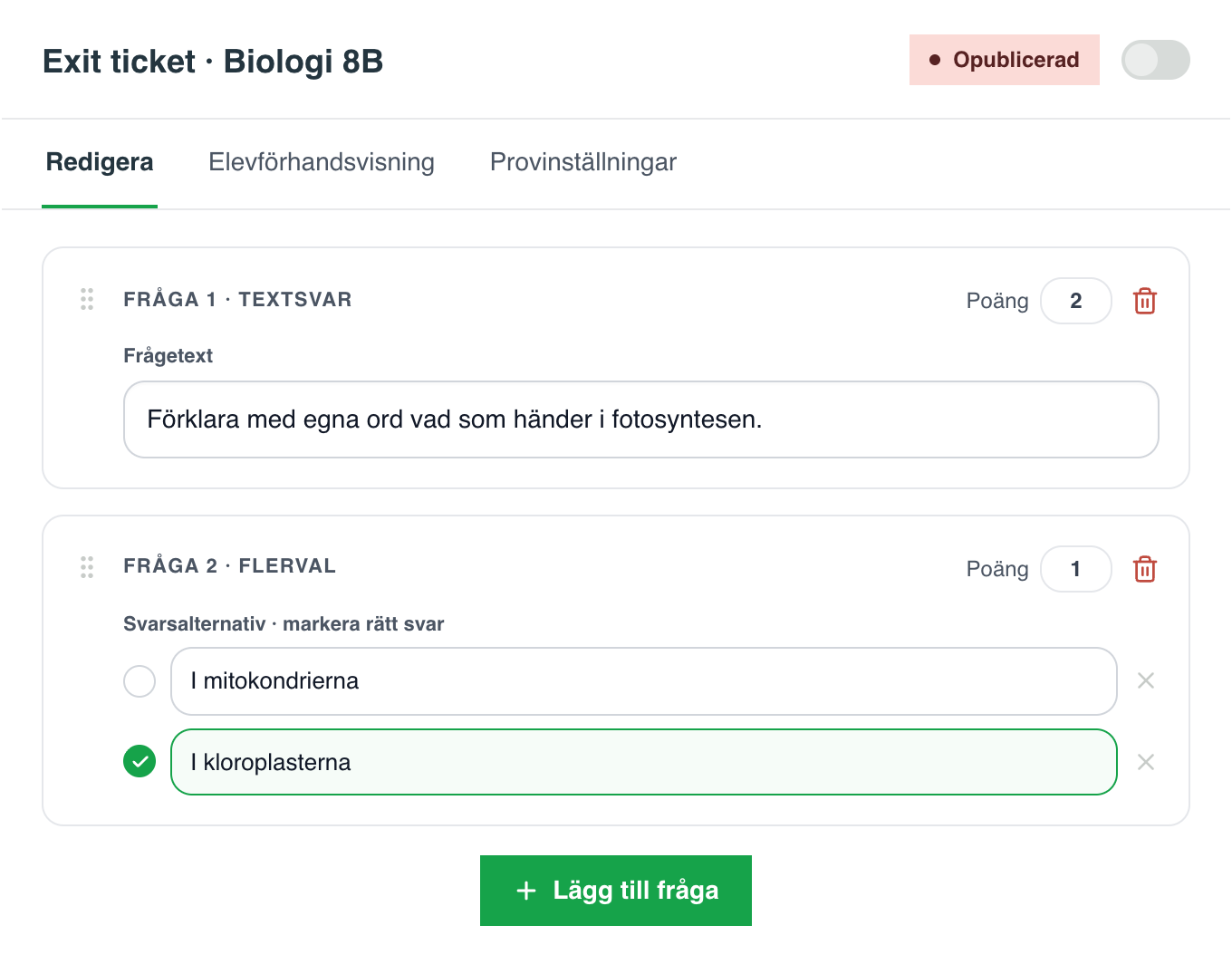

The short ones work just as easily: an exit ticket at the end of the lesson or a lesson task, in locked mode with a single toggle.
In open or locked mode, with preview, points and accommodations per student.
Long writing assignments and process writing, where the text develops over several drafts.
Short tasks in locked mode, switched on with a single toggle.
Question sets per focus area, put together from the class's answers and feedback.


Whatever the kind of assignment, the AI agent suggests feedback based on the teacher's instructions and criteria, and the teacher approves every comment before it reaches the student.

Colleagues you share with can either proctor the exam or work on it as a co-teacher.
Under Access, add a colleague and choose Proctor the exam. The proctor can monitor the exam while students write, while only you and your co-teachers work on the assignment itself.
Reading books is one of the most important things we can do for our own development. When you read, you get to live other people’s lives and thoughts. Many young people today choose their phones over reading, which I think is a shame. Research shows that them who read a lot have a larger vocabulary and find it easier to express themselves in writing.
Strong opening, you catch the reader at once and state your thesis clearly.
“them” should be “those” here, it refers to the people who read.
Bring in a counterargument and answer it before you finish.
Share the assignment with a colleague as co-teacher and work on it together: assess your students’ texts and give feedback in the same assignment, without sending documents back and forth.
Questions and answers
Yes. Under Access on the exam, add a colleague and choose Proctor the exam. The proctor can monitor the exam but not change the assignment itself.
Yes. Whoever created the assignment can share it with a colleague as co-teacher. You then work on the assignment together and can co-assess the students’ texts.
An assignment workspace is Gradr's way of bringing every written assignment together in one place: exams, open assignments, process writing, exit tickets and lesson tasks. Students write in Gradr, and the teacher gives feedback in the same platform, supported by the AI agent.
No. Exams can be held in locked mode, but the same platform is also used for open assignments and process writing, for exit tickets and lesson tasks, and for analysis and planning after the assignment.
Yes. The student keeps writing with the teacher's comments beside the text. The feedback is still there at the next lesson, the text develops over several drafts, and the whole process is saved in Gradr.
Yes. The same environment works for the short ones: an exit ticket at the end of the lesson or a lesson task, in locked mode with a single toggle.
The AI agent suggests formative feedback based on the teacher's own instructions and criteria, and the teacher reads, edits and approves every comment before it reaches the student. Teachers who prefer can also write the comments themselves.
With Hetzner in Finland, within the EU. The texts are never used to train AI models.