
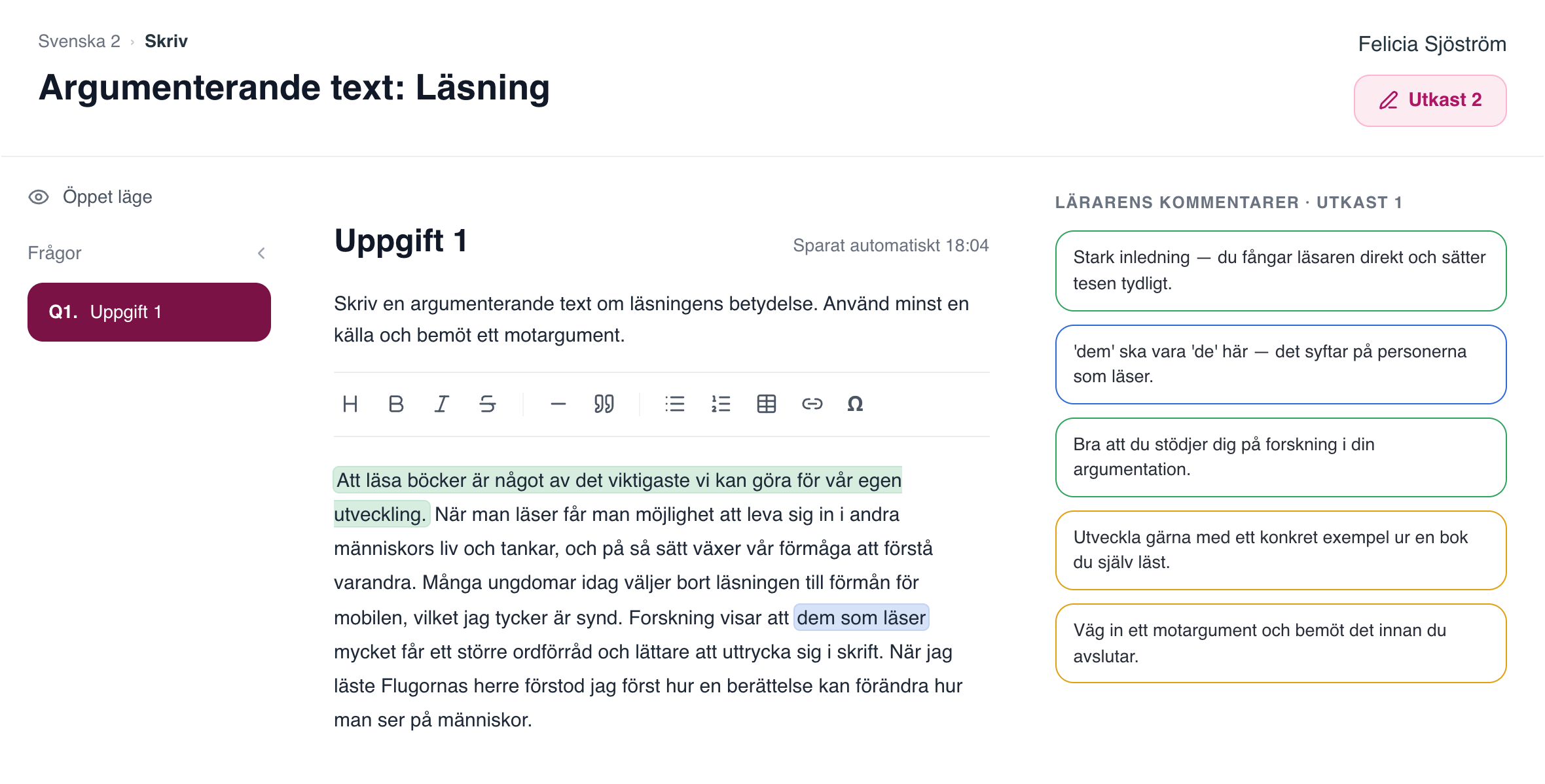
Process writing with feedback
The student writes in several drafts and the teacher gives feedback along the way. The whole process is saved in Gradr.
Create and run exams in open or locked mode, keep the class together in course rooms, and give every student the support they're entitled to, all in one platform.
Students write their answers in Gradr's student platform. As soon as they submit, the teacher can start giving formative feedback with the AI Assistant.
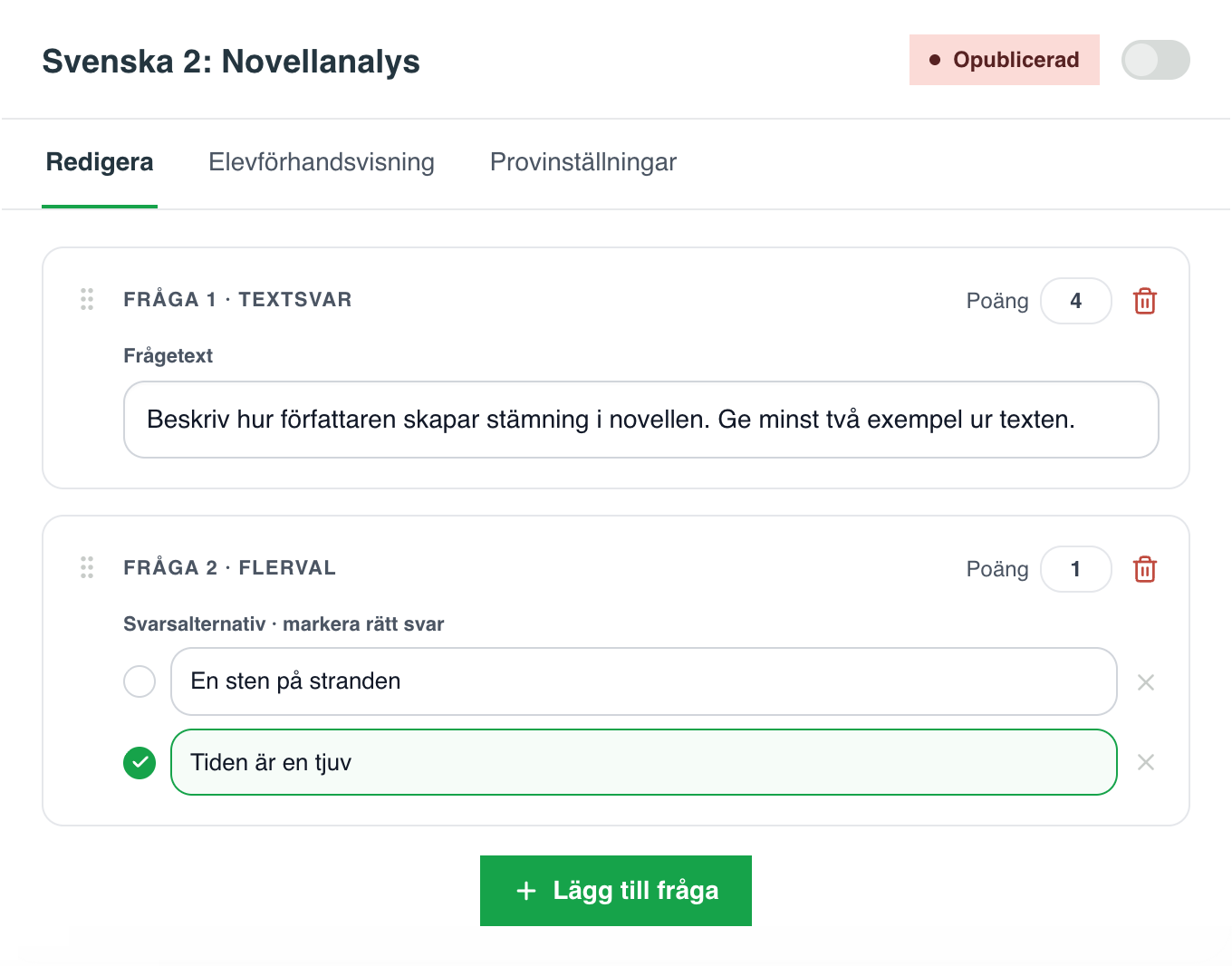

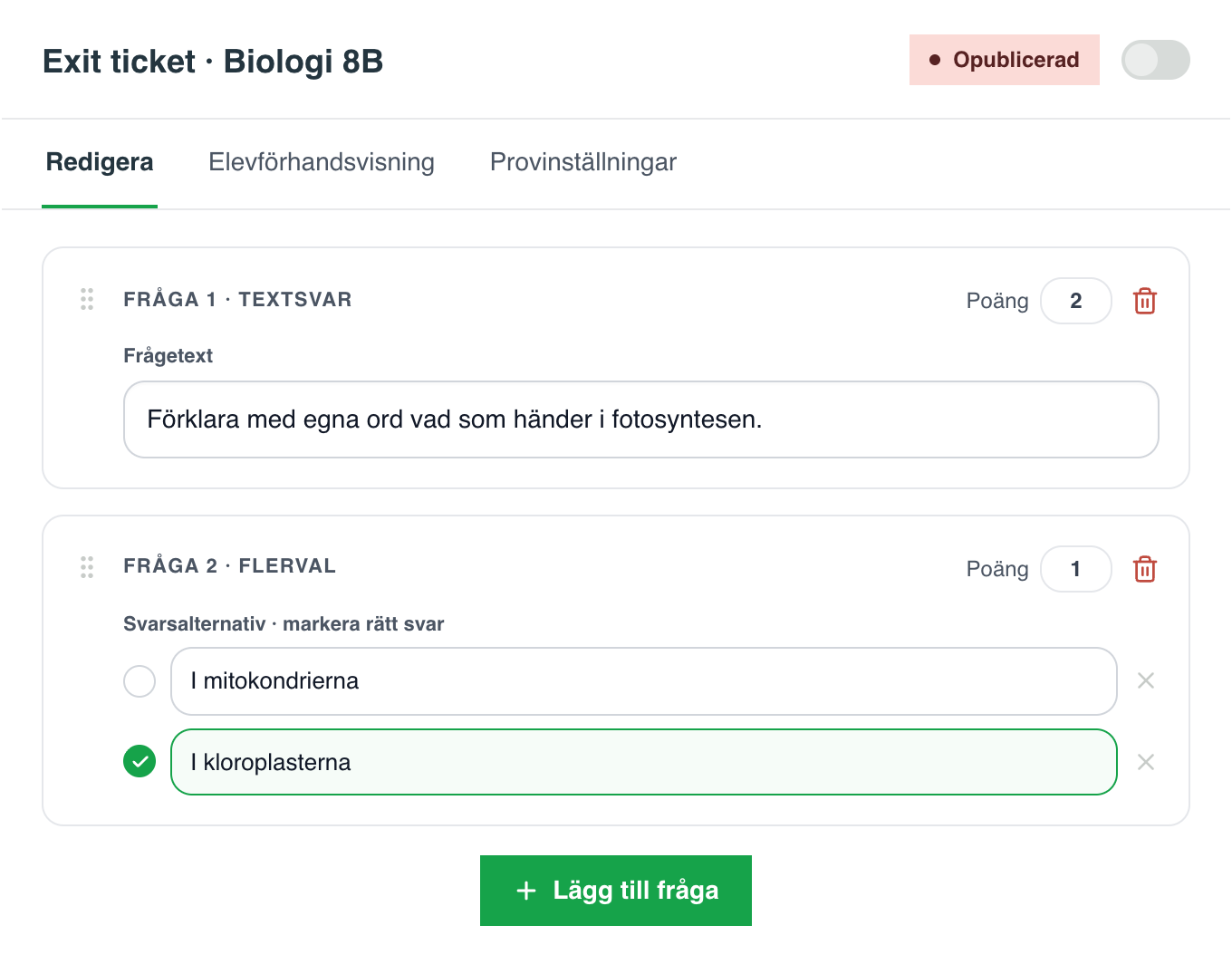

The same exam environment works for the short ones: an exit ticket at the end of the lesson or a lesson task. Locked mode is switched on with a single toggle.


Long writing assignments and process writing, with all of the class's assignments in one place. Students write in Gradr, and the teacher gives feedback in the same platform.
Create assignments, examine in a locked exam environment and keep the whole class together, without juggling multiple systems.
The student writes in several drafts and the teacher gives feedback along the way. The whole process is saved in Gradr.
Every assignment type in one place, from major exams to short exit tickets and lesson tasks.

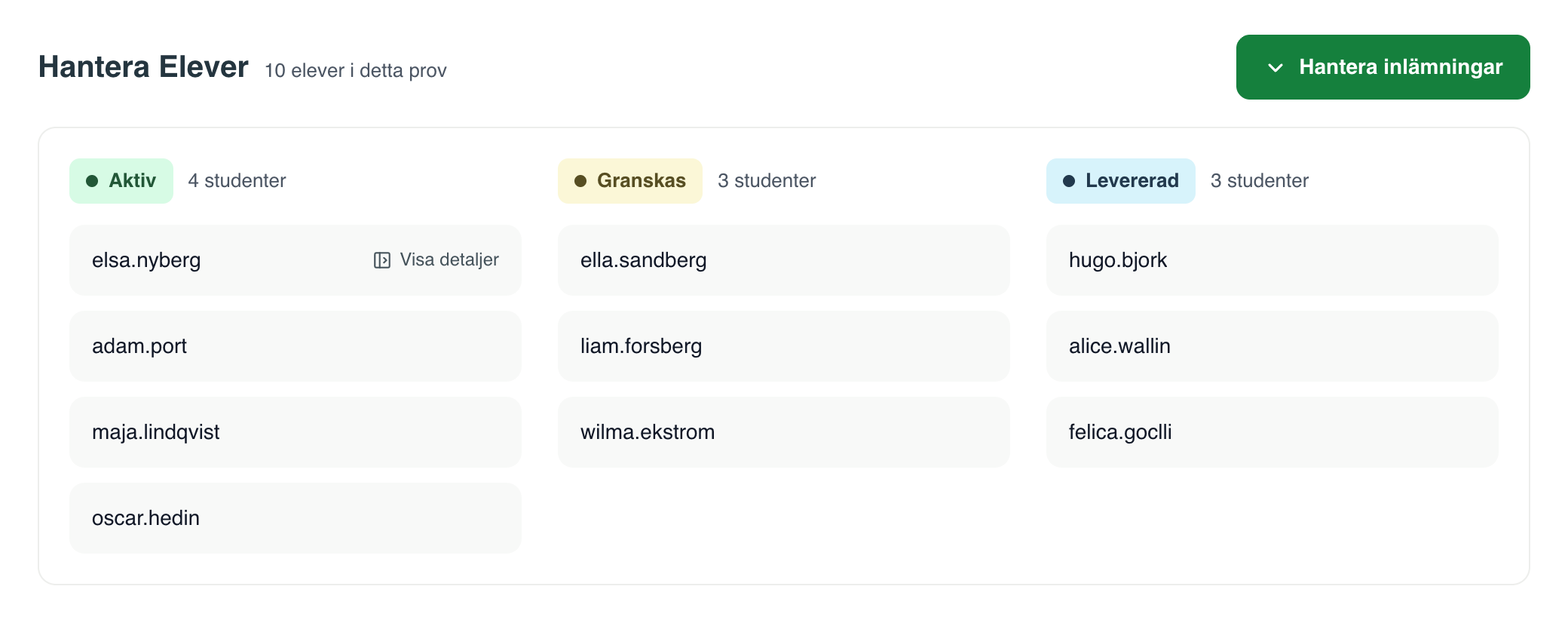
All students, classes and submissions in one place. See at a glance who's writing, who has submitted and what needs marking.

Every assignment can run in open or locked mode. Locked mode is switched on with a single toggle.

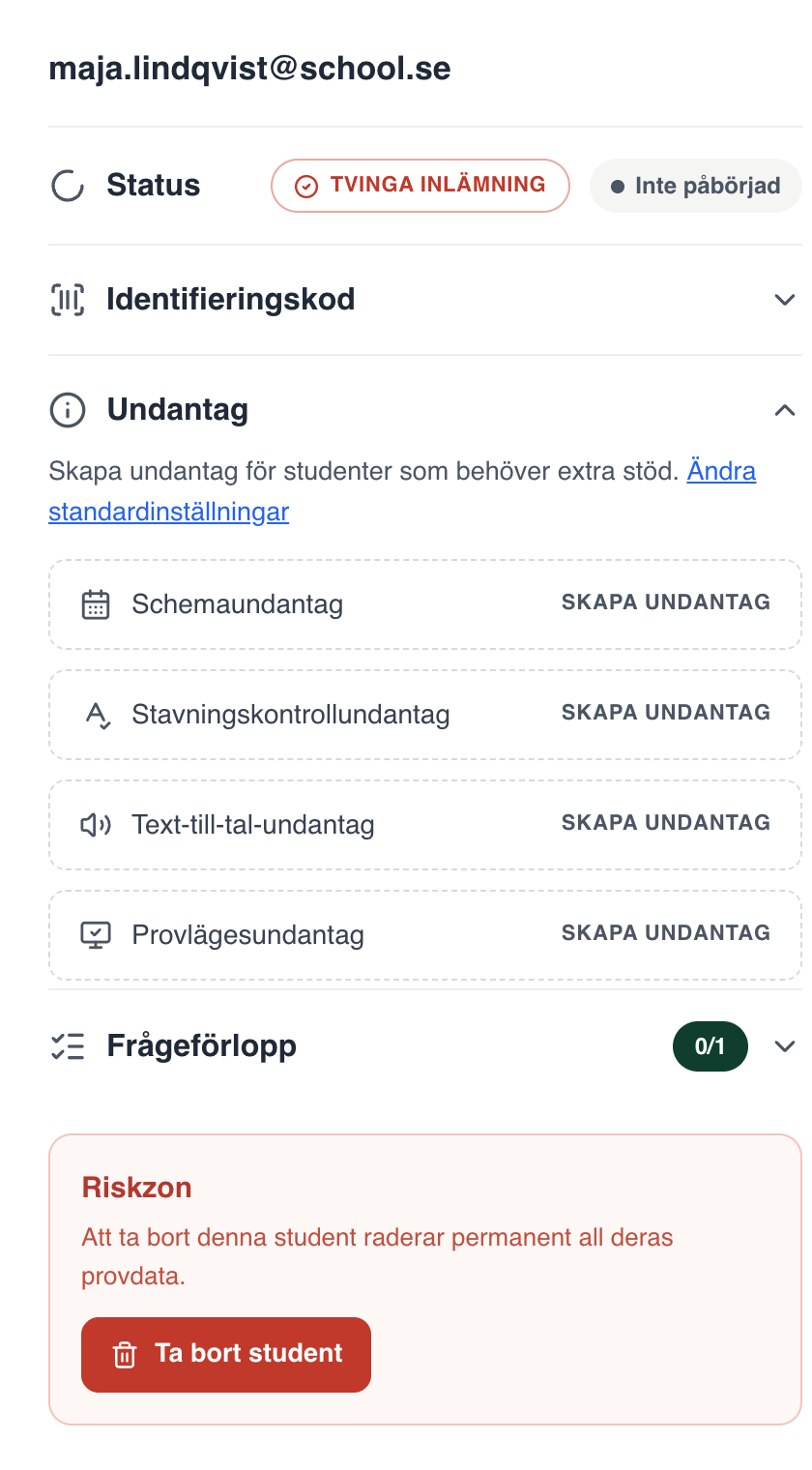
Extended time, text-to-speech or spell-check for individual students, straight from the student view. The accommodation applies only to that student; the rest of the class is unaffected.

Turn locked mode, spell-check, text-to-speech and feedback visibility on or off, for the whole exam, in one place.
Questions and answers
The Exam Platform is the part of Gradr where the teacher creates and runs exams in open or locked mode. Students write their answers in Gradr's student platform, and as soon as they submit, the teacher can give formative feedback with the AI Assistant.
No, Gradr is more than an exam platform. Exams can be held in open or locked mode, but the same platform also has open assignments and process writing, exit tickets and lesson tasks in locked mode, an AI agent that supports the teacher's formative feedback, and support for analysis and planning.
Yes. The same exam environment works for the short ones: an exit ticket at the end of the lesson or a lesson task, in locked mode. Locked mode is switched on with a single toggle.
Yes. Gradr handles long writing assignments and process writing, with all of the class's assignments in one place. The feedback is still there at the next lesson, and the whole process is saved in Gradr.
Locked mode is Gradr's exam environment for examinations. When locked mode is on, students take the exam in Gradr's exam app on their Chromebook; when it's off, they can write in an ordinary web browser. The teacher turns locked mode on or off in the exam settings, where spell-check, text-to-speech and feedback visibility are also set for the whole exam.
Extended time, text-to-speech or spell-check, straight from the student view. The accommodation applies only to that student; the rest of the class is unaffected.
Multiple-choice questions are marked deterministically against the teacher's own answer key. The AI in Gradr never sets grades, scores or summative assessments.
Yes. Gradr has a direct partnership with SchoolSoft. Teachers and students sign in through SchoolSoft, and the exam opens straight from there without a new login.
Yes. The preview shows the exam exactly as students will see it, before it's published.
Compiled from the vendors' public product and support pages, Aug 2026. General AI refers to ChatGPT, Copilot and Gemini as they are used in schools today, without school-specific agreements.