What is Gradr’s Class Analysis?
Class Analysis is the part of Gradr that analyses the whole class’s answers to an assignment or exam marked in Gradr. The teacher asks questions in their own words and gets answers as a chart, table, matrix or text.
Once an assignment or exam has been marked, Gradr can analyse the whole class’s answers at once.
For example, which grammatical errors are most common, or where the class needs the most practice before the next history exam. Class Analysis works from an assignment or exam marked in Gradr, with every question and all the feedback in it.

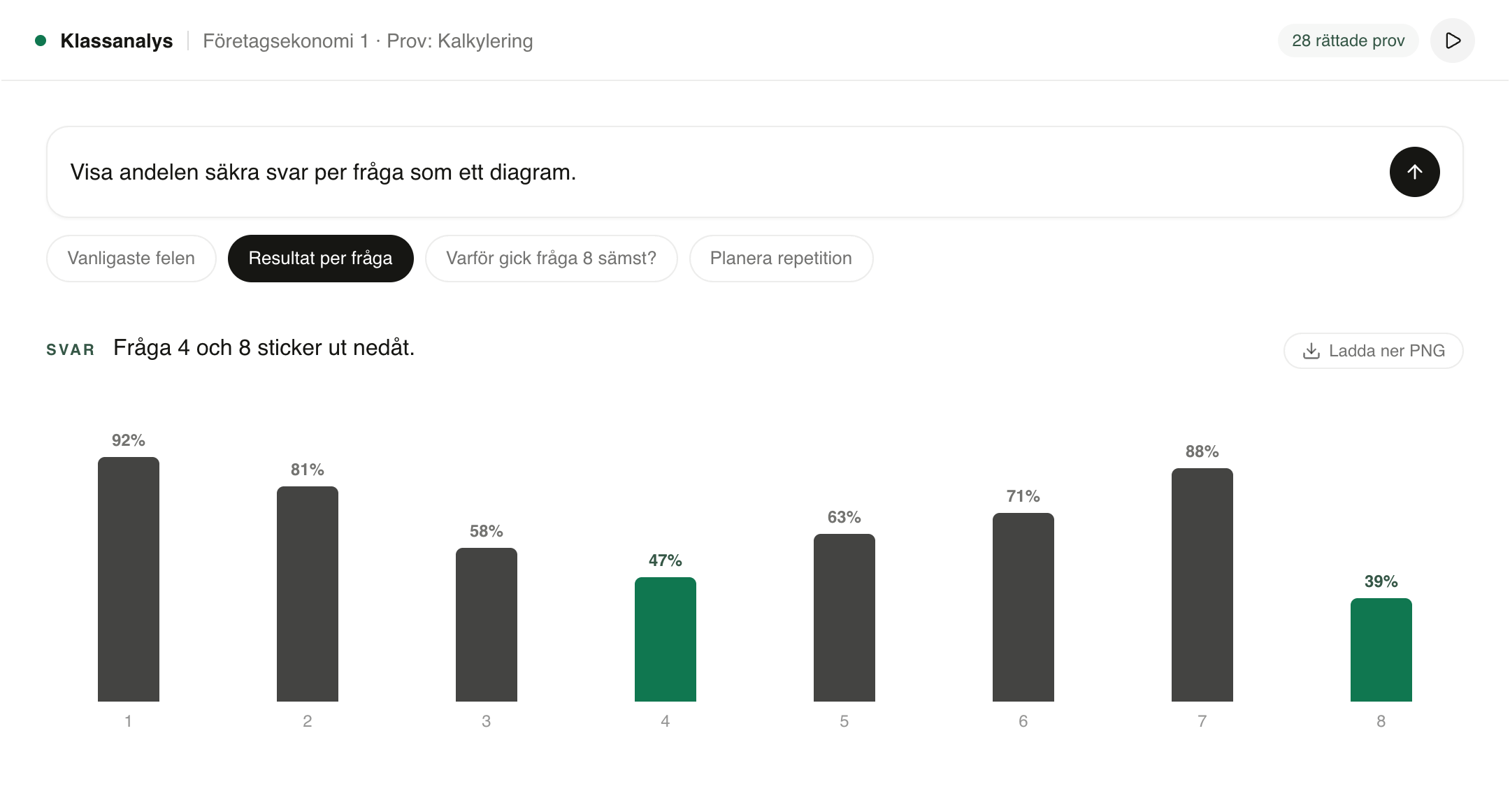
Marking shows how each student did. Class Analysis shows what the class has in common: which mistakes keep coming back, which questions cause trouble and what stuck.
Class Analysis works from an assignment or exam marked in Gradr, with every question and all the feedback in it.
The teacher types the question in their own words and gets the answer straight away, as a chart, table, matrix or text.
Charts download as PNG and tables as Excel, or go straight into planning the next lesson.

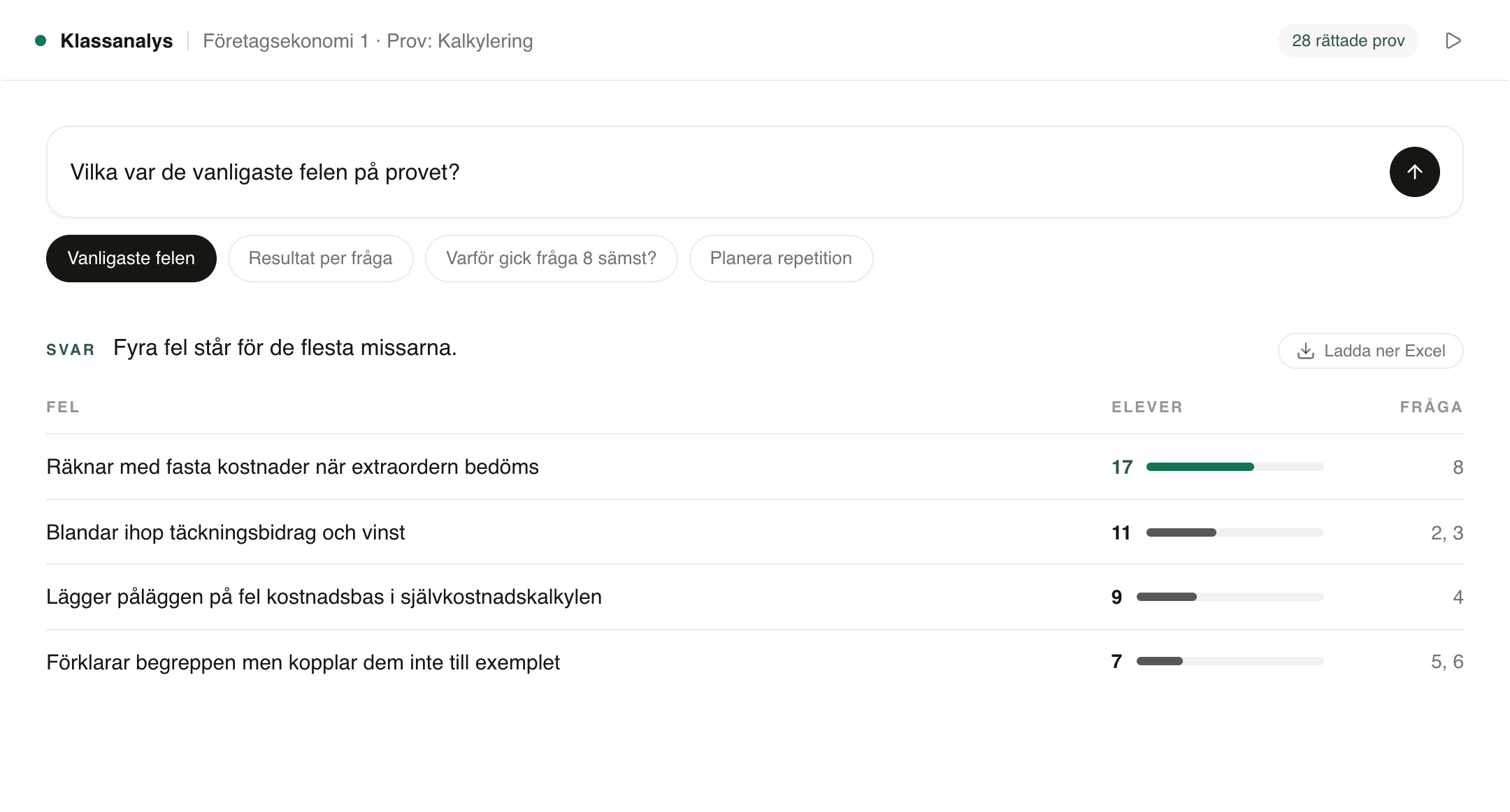
A table to compare, a chart for the big picture, a matrix of the concept areas, or a plain answer when the question is simply why.

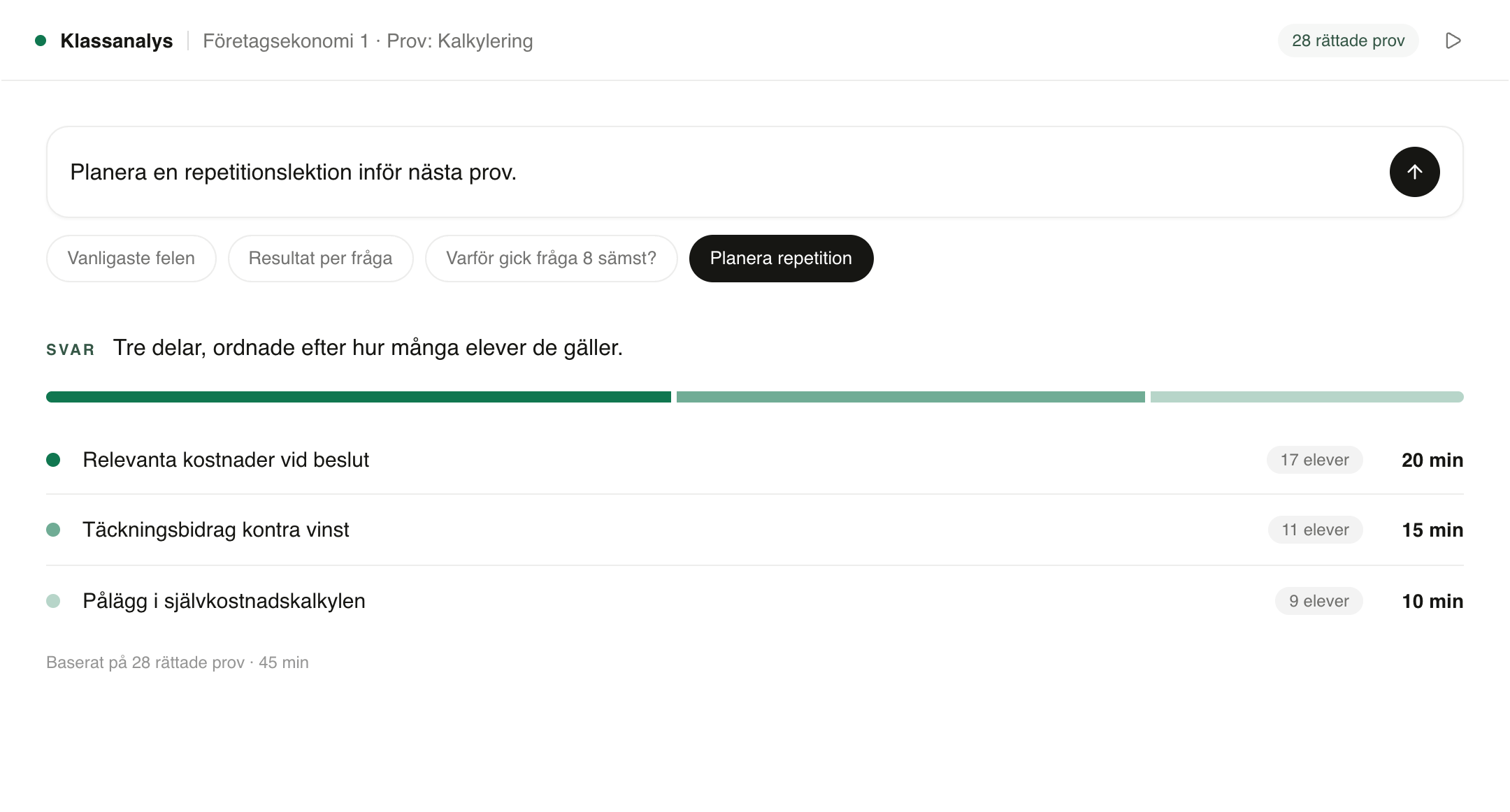
The suggestion is based on what that particular class missed, not on a generic template. It prioritises what most students need to practise and shows how many students each part applies to. The teacher adjusts, removes and adds.


The analysis assistant knows what each student answered and what feedback they received. It puts together practice tests per focus area and shows which students should get which.
Questions and answers
Class Analysis is the part of Gradr that analyses the whole class’s answers to an assignment or exam marked in Gradr. The teacher asks questions in their own words and gets answers as a chart, table, matrix or text.
For example, which mistakes were most common on the exam, which concepts are secure and which need practice, which question went worst and why, or what the class should go over before the next exam.
An assignment or exam marked in Gradr. Class Analysis works from every question and all the feedback in it. Charts can be downloaded as PNG and tables as Excel.
A chart, table, matrix or plain-text answer. Charts download as PNG and tables as Excel.
Yes. Gradr can suggest a review lesson based on what that particular class missed. The suggestion prioritises what most students need to practise and shows how many students each part applies to, and the teacher adjusts, removes and adds.
Yes. The analysis assistant knows what each student answered and what feedback they received. It puts together question sets per focus area and shows which students should get which, and a student can get more than one. The teacher goes through the questions and decides what is handed out.
With the same data protection as the rest of Gradr: the data is processed within the EU, is never used to train AI models, and a data processing agreement is included.